General Business
A balanced starting point for any business.
Last updated: 8 min readBy the BirSitem team
Building a website no longer has to be a software project. If you take things in the right order, you can get a small business site live over a weekend, sometimes in a few hours. The hard part is rarely the technology. It’s deciding what to say, who you’re saying it to, and which information you need to gather first.
This guide walks through the whole process in order: clarifying your goal, choosing an address, picking a template, preparing content, checking the mobile view, setting up basic SEO, publishing and what to do after launch. The steps apply whichever website builder you use, and along the way we show how each one works in BirSitem.
Before you open any editor, answer one question: when someone lands on your site, what do you want them to do? Call you, message you, visit your shop, request a quote, or simply come away trusting your business? That answer decides which sections the page needs and which button sits at the very top.
Then think about the visitor. A hair salon’s customers look for opening hours and location. An accountant’s clients want to know areas of expertise and whether they can trust you. A restaurant’s guests want the menu and a phone number for bookings. Write down the first three questions your visitors need answered. If your site answers them on the first screen, you’re on the right track.
There are three common ways to make a website. A website builder (a drag-and-drop tool like BirSitem) bundles templates, hosting and an SSL certificate, and you build and update the site yourself. An agency designs and writes the site for you; budget and timeline depend on the scope. Custom development makes sense for non-standard needs such as your own customer portal or special integrations.
For a business brochure site, a personal page or a portfolio, a website builder is usually the fastest and most affordable route. If you’re undecided, our guide on website builder vs. custom development compares the options in detail.
Your web address is what people type to find you and what you print on your business card. You have two options:
Keep it short, easy to spell out loud and close to your brand name. Avoid special characters, and use hyphens only if you really need them. For more on extensions and how domains work, read our guide what is a domain name.
In BirSitem, every site is published on a free subdomain with hosting and SSL included. On paid plans you can connect your own domain by entering the DNS records shown in your dashboard. There’s no need to transfer the domain, and SSL is set up automatically. The steps are in the documentation.
A template lets you start from a working structure instead of staring at a blank page. A template built for your industry already contains the sections that kind of business usually needs: services and prices for a salon, a menu and opening hours for a restaurant, and so on.
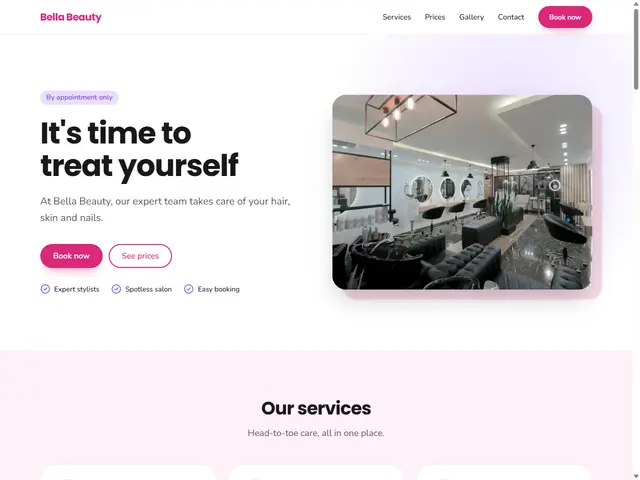
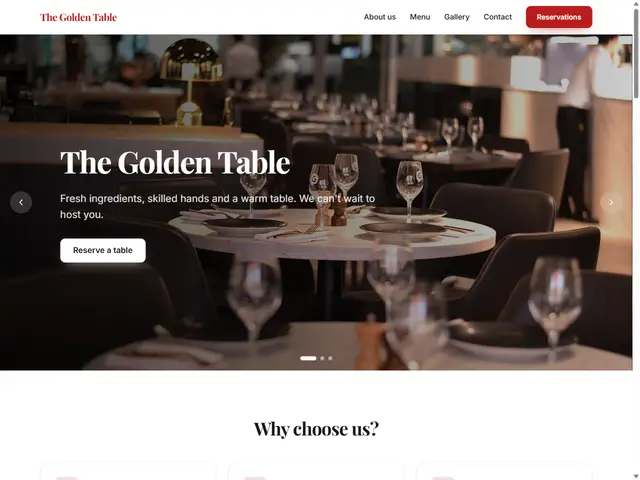
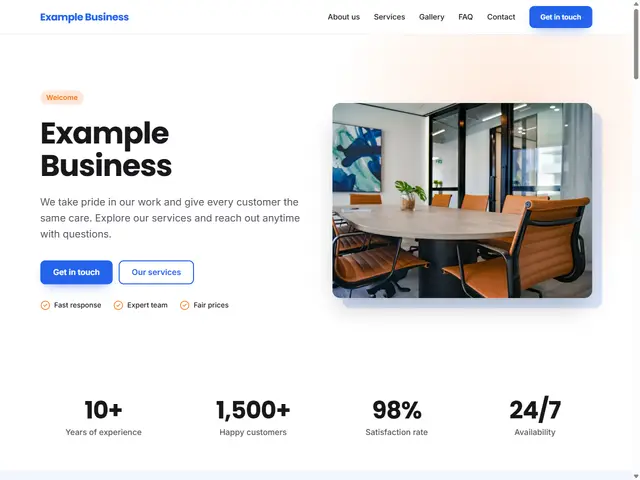
BirSitem offers 35 industry templates plus a blank page for anyone who prefers to start from scratch. Take a look at General Business, Hair & Beauty Salon or Restaurant & Cafe, or browse them all in the template gallery.
Once you’ve picked a template, bring it closer to your brand with the primary and accent colors, a light or dark background, and heading and body fonts. Using one of your logo colors as the primary color is often all it takes. In BirSitem, changing the theme never touches your content, so you can experiment freely.
Want to try before signing up? Open the demo editor. Your design is kept in your browser and can be imported into your account after you sign up.
Content is what makes or breaks a website. Gathering the following into one folder before you open the editor will speed things up considerably:
For most business sites this order works well: an eye-catching hero with your main call to action, services, about, reviews or client logos, frequently asked questions, contact details and a map, and finally the footer. Floating call and WhatsApp buttons are a big help for visitors browsing on a phone. Our guide on what every business website needs expands on this list.
Don’t worry about huge image files: BirSitem resizes uploads automatically and lets you crop to the recommended ratio. The full list of blocks is in the documentation.
Most of your visitors will arrive on a phone. Before you publish, scroll through the whole page in phone view: is the text readable, are buttons easy to tap, has an important part of any image been cropped off? The phone, tablet and desktop previews in the BirSitem editor let you check this in seconds, but it’s still worth opening the live site on your own phone once it’s published.
In BirSitem you can write a separate title and description for each page, and enter your Search Console verification tag and Google Analytics ID in the dashboard. Your contact details are added automatically as structured data that search engines understand. See the SEO section for details, and open Google Search Console to get started there.
When everything looks ready, do one last pass before publishing. Is the phone number right? Does the WhatsApp button go to the correct number? Does the map show the right location? Any typos? Does the contact form work? If you can, ask a friend to open the site and see how quickly they find what they’re looking for.
In BirSitem you can save drafts as often as you like; when you press Publish, the page goes live. Every site’s first publication is briefly reviewed by the BirSitem team, and sites with illegal or misleading content aren’t approved. You’ll get a notification with the result, and later updates go live straight away. The process is described in the publishing section.
Going live isn’t the finish line. Most of the value comes from regular upkeep.
Here’s the whole process in one list:
You don’t need an account to try it: play with a template in the demo editor, and when you’re ready, sign up for free and bring your design into your new site. To compare plans, see the pricing section.
7 min read
How to Make a Free Website: What to Check Before You Start
What a free website actually gives you, where the limits are, the hidden costs to watch for, and when a free plan is enough versus when it’s time to upgrade.
9 min read
Website Builder vs Custom Website: Which Is Right for Your Business?
Website builder, agency or custom development? We compare all three on time, cost, upkeep and flexibility, with a checklist to help you decide.
7 min read
How Much Does a Website Cost? A Small Business Guide
Website cost isn’t a single number. We break down every line item, from domain and hosting to upkeep, e-commerce fees and your own time, and show how to budget.