What Is a Domain Name and How Do You Get One?

Last updated: 9 min readBy the BirSitem team

Your web address matters as much as the phone number on your business card. Whether customers find you through a search or hear about you from a friend, at some point they type an address or tap a link. That address, your domain name, is something you will use for years and rarely want to change.

This guide explains what a domain is, how it differs from hosting and from the website itself, how to choose a good name and extension, how to buy one safely, and how to connect it to your site with DNS. No technical background needed, just a few habits that save a lot of trouble later.

Domain vs hosting vs website

These three terms get mixed up all the time. Thinking of a shop makes them easier to tell apart:

  • Domain name: the shop’s street address and sign, for example yourbusiness.com. On its own it shows nothing; it points visitors to the right place.
  • Hosting: the building itself, meaning the server where your site’s files live and get delivered to visitors.
  • Website: what’s inside the shop: your pages, posts, photos and contact form.

The traditional route is to buy all three separately and wire them together. With a website builder, hosting and the security certificate (SSL) are usually included. That’s how BirSitem works: your site runs on our servers and SSL is set up automatically, so the only decision left is which address your site lives at.

Behind the scenes, domains rely on DNS (the Domain Name System), which translates names people can remember into the numeric addresses computers use. More on that below.

Free subdomain or your own domain?

Every site you create on BirSitem is published right away on a free subdomain such as yourbusiness.birsitem.com. If you are just starting out, testing an idea or need a simple online presence fast, that address does the job, and you can sign up for free.

Your own domain makes a real difference when:

  • you want a short, memorable address for business cards, signage, vehicles and ads,
  • you want your brand to live at an address you own for the long term,
  • you want a professional email address that matches, such as hello@yourbusiness.com.

You don’t have to choose one or the other. When you connect your own domain, your birsitem.com address keeps working, so links you have already shared won’t break. Connecting a custom domain is available on paid plans; see the pricing page for which plan includes it. Yearly paid plans also come with a free domain for the first year, with current terms listed on the pricing page.

How to choose a good domain name

The goal is simple: someone should be able to hear your address once and type it correctly. These rules of thumb help:

  • Keep it short and plain. Ideally your business name or its best-known short form. Long strings of words are hard to remember and easy to mistype.
  • Pass the phone test. If people have to ask “how do you spell that?”, you lose some of them. Say the address out loud to a friend and see if they write it down correctly.
  • Stick to plain letters. Domains with accented or special characters can technically be registered, but they are awkward to type, share and use in email. Use the plain spelling instead.
  • Be careful with hyphens. A hyphen can help readability, but people forget it when the address is said out loud and end up somewhere else. If you use one, consider registering the unhyphenated version too.
  • Avoid number and spelling tricks. If it’s unclear whether to type “4” or “four”, people will guess wrong.
  • Adding a city or service is an option. If your first choice is taken, something like smithlawdenver.com can work, but think about whether you might expand to other cities later.

Check before you buy

  • Make sure the name doesn’t clash with someone else’s registered trademark; trademark disputes can end with you losing the domain.
  • See whether the same name is free on social platforms like Instagram and Facebook. Using one consistent name everywhere makes you easier to find.
  • Search for businesses with a similar name that customers might confuse with yours.

Choosing an extension: .com, country codes and more

The part after the dot is called the extension (or top-level domain). The common choices:

  • .com: the best-known extension worldwide. When people guess an address, they usually type .com. It’s the safe default, especially if you serve customers in several countries.
  • Country codes: extensions like .co.uk, .de, .ca or .com.au signal that you are a local business, which can build trust with local customers. Each country sets its own rules, and some require a local address or company. In Turkey, for instance, .tr domains such as .com.tr are managed by TRABİS; today they can be registered by applicants in Turkey without the paperwork once required, but check current rules with your registrar.
  • .net, .org and others: useful if the .com is taken, though there’s a risk visitors type .com out of habit and land on someone else’s site.
  • City and industry extensions: options like .shop, .cafe or city names such as .london exist. They can be memorable, but because they are less familiar, you may need to explain them when you say your address out loud.

Some extensions are reserved for certain professions or organizations and may require documents. If you work in a regulated field such as law or healthcare, also check your professional body’s rules on online advertising.

If your budget allows, consider registering close alternatives alongside your main domain (for example both .com and your country code). That stops anyone else from grabbing a look-alike address, and you can redirect the second one later.

How to buy a domain

Domains are registered through accredited companies called registrars, usually for a yearly fee. Which registrar you use doesn’t matter for BirSitem; you don’t need to transfer your domain to us. The process usually looks like this:

  1. Search for the name you want on the registrar’s site and check that it’s available.
  2. Choose the extension and registration period. Pricing varies by extension and registrar and is usually billed yearly.
  3. Fill in the owner (registrant) details and pay.
  4. Wait until the domain shows as active in your account; then you can manage its DNS.

Avoid headaches later

  • Register it in your own name. Even if an agency or a friend buys it for you, the registrant should be you or your company. Getting back a domain registered to someone else can be painful.
  • Turn on auto-renew. An expired domain is eventually released and anyone can register it. Keep the card and email address on file up to date.
  • Check the renewal price. Some registrars advertise a discounted first year; look at what you will pay from year two before you buy.
  • Consider privacy protection. Many extensions offer an option that hides your personal contact details from public WHOIS records. It isn’t available for every extension.
  • Secure the account. Use a strong password and two-factor authentication if offered. That account is the key to your domain.

DNS basics: A records, CNAME and propagation

DNS is a set of records that tells the internet where your domain should point. You’ll find them in your registrar’s dashboard, usually under something like “DNS management” or “DNS records”. A few record types are worth knowing:

  • A record: points a domain to a server’s IP address. Typically used for the root domain (yourbusiness.com).
  • CNAME record: points a subdomain (such as www.yourbusiness.com) to another domain name.
  • MX record: tells the internet which server receives your email. It has nothing to do with your website.
  • TXT record: used for various verifications and email security settings.

When you change a record, the update doesn’t reach every server on the internet instantly. This is called propagation and usually takes anywhere from a few minutes to a few hours. During that window your site may load on some devices and not on others. That’s normal, so resist the urge to keep changing the records.

How to connect your domain to your website on BirSitem

Once you own the domain, connecting it takes a few minutes:

  1. In your site’s dashboard, open Connect your own domain and enter your domain (for example yourbusiness.com). If you also want the www version to work, add www.yourbusiness.com separately.
  2. Note the DNS records shown in the dashboard: an A record for the root domain and a CNAME record for a subdomain such as www.
  3. Go to your registrar’s DNS settings and add the record that fits your setup, using exactly the value shown in the dashboard. If an older A or CNAME record already exists for the same name, update it instead.
  4. Back in BirSitem, click Verify. If the records haven’t propagated yet, try again a little later.
  5. Once verification succeeds, the SSL certificate is issued automatically and your site opens over https at its new address.

Your birsitem.com address keeps working throughout, so your site never goes offline during the switch. For screen-by-screen details, see the domain section of the documentation.

Email is a separate service

An email address on your own domain (such as hello@yourbusiness.com) looks professional, but it’s a separate service from your website. BirSitem doesn’t host email, so you’ll need an email provider for that. Many registrars offer email plans as well.

  • Your email provider gives you MX records (and usually a few TXT records) to add in the same DNS dashboard.
  • When you edit A and CNAME records for your website, don’t delete existing MX records. If you do, your email will stop arriving.
  • Keeping your site and your email with different companies is completely normal; DNS sends each to the right place.

Messages from your site’s contact form reach your dashboard and your account email regardless of your domain.

Got an address? Give it a site worth visiting

The domain is only the address. What visitors actually meet is the page that opens there. You can build your site on a free birsitem.com address first, get your content in shape, and connect your domain in a few steps once it’s ready.

When you’re ready, create your free account. Whether your address ends in birsitem.com or your own domain, your site goes live with the same care.

Templates related to this guide

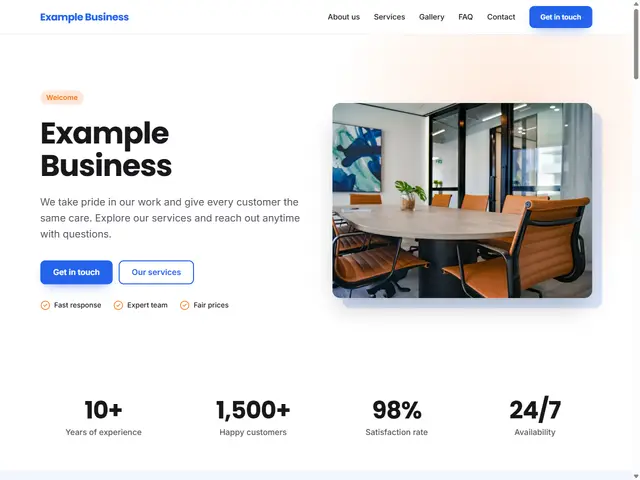
General Business template preview

General Business

A balanced starting point for any business.

Try it
Real Estate template preview

Real Estate

Featured listings, services and quick contact.

Try it
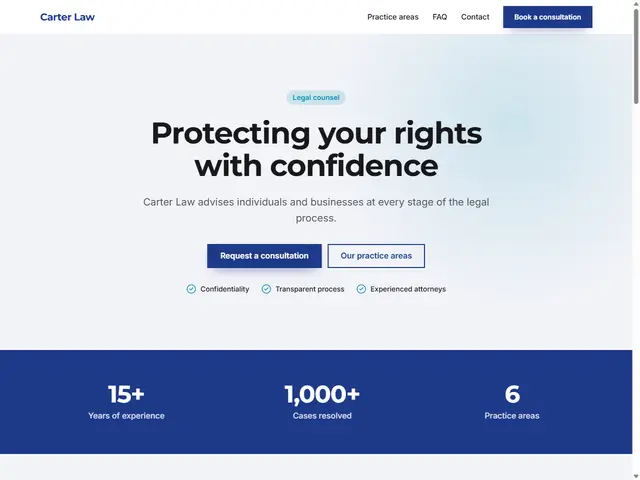
Law & Consulting template preview

Law & Consulting

A serious, trustworthy professional look.

Try it

More guides