Hair & Beauty Salon
Services, price list, gallery and a booking call to action.
Last updated: 9 min readBy the BirSitem team
Whether you run a hair salon, a restaurant or a clinic, people who land on your website are usually looking for the answers to the same handful of questions: What do you do? Where are you? Are you open right now? How much does it cost? How do I reach you? A good small business website answers all of them on the first screen, on a phone, in a few seconds.
This guide covers the essentials every business website needs, then the details that matter specifically for salons, restaurants and clinics, the most common mistakes, and a checklist you can run through before going live. It is useful whatever tool you build with; if you use BirSitem, we also point out which block handles each item.
Whatever your industry, the items below are the backbone of a business website. If one of them is missing, visitors either give up or go looking for the information elsewhere, quite possibly on a competitor’s site.
The big headline at the top should describe, not just inspire. “Treat yourself” is a nice line, but “Hair, skin and nail care in Brooklyn” tells both visitors and Google what you do and where you are. Move your slogan to the subheading.
Most people visiting a local business site are on their phone and want to get in touch quickly. Tapping your phone number should start a call, and a WhatsApp link should open a chat straight away. BirSitem’s floating call and WhatsApp buttons stay in the corner of the screen however far down the page someone scrolls.
Your full address, a map and up-to-date opening hours are among the most-viewed details on any local site. Update them for public holidays and seasonal changes; a customer who turns up to a locked door rarely comes back. An announcement bar is handy for showing temporary changes at the very top of the page.
Stock photos are fine to get started, but customers want to see your salon, your dishes, your waiting room. Clean, well-lit photos taken on a phone in daylight are often all you need.
Leaving prices out may prompt a few people to call, but it puts many more off. If you can’t give exact prices, use “from” prices or explain in one sentence what affects the price, such as hair length, portion size or number of sessions.
Not everyone likes to call, so add a short contact form for people who prefer to leave a message. Only ask for the fields you really need, and show your privacy notice with a consent checkbox. Our guide to privacy-compliant contact forms explains the details; rules differ by country, so check what applies where you operate.
Pages should load fast on mobile, text should be readable without zooming, and buttons should be easy to tap with a thumb. Link to your Instagram and other profiles. Keep a privacy notice and terms of use on the site; BirSitem publishes these at /kvkk and /kullanim-sartlari on your site, but making sure the wording fits your business is your responsibility.
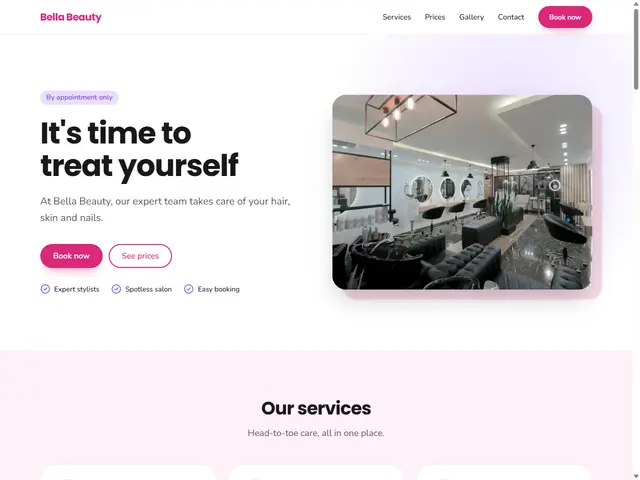
In this industry people decide with their eyes, and most of them want to book. A hair salon website should put these front and centre:
For salons and beauty studios, the Hair & Beauty Salon template is a good starting point, and the Barbershop template offers a cleaner look for barbershops. Want to try before signing up? Open the salon template in the editor.
Remember to replace the sample prices, reviews and text in any template with your own. Every site’s first publication is reviewed by the BirSitem team, and misleading content isn’t approved.
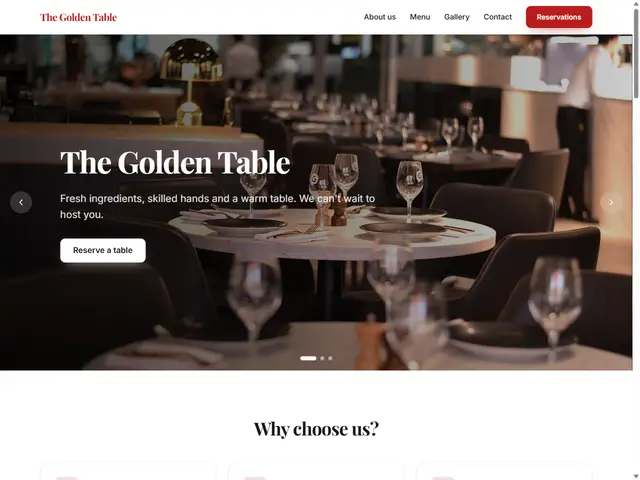
People visiting a restaurant website usually check the menu, the location and the hours, then either book a table or head over. These are the things that matter most:
The Restaurant & Cafe template and the Coffee Shop & Bakery template both come with a ready-made menu section. You can start by editing the restaurant template in the demo.
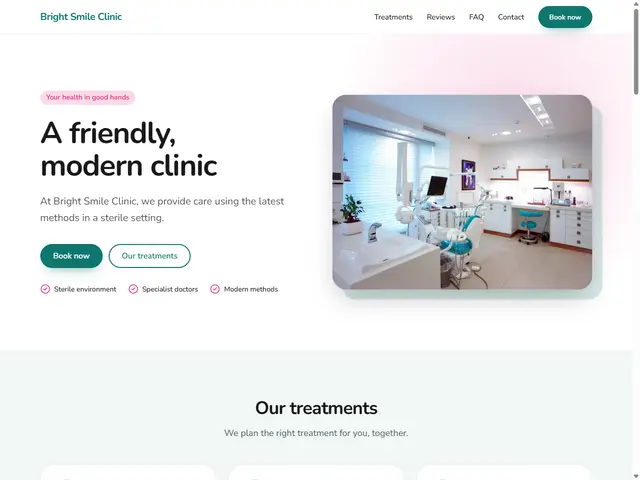
A clinic website should give prospective patients accurate, calm and reassuring information. Focus on:
Healthcare advertising is regulated in many countries, including Turkey, and professional bodies often have their own rules. Unless you have confirmed it is allowed where you practise, avoid before-and-after photos, patient testimonials and thank-you messages, and superlative or outcome claims such as “the best”, “guaranteed” or “painless”. The sample reviews, figures and short claims in our clinic template are there to show the layout; remove them or confirm they are compliant for your situation. This is not legal advice; check the current rules with your professional body or a lawyer.
The Clinic & Health template comes with a light, airy palette and sections for services, questions and appointments; open it in the demo and adapt it to your practice.
The same logic applies to any local business: first who you are and where, then what you offer, and finally how to reach you. A few examples:
You can browse every industry on the templates page.
Before you publish, go through this list on your phone, looking at the site the way a customer would:
The easiest route is to start from a template for your industry and work through the list above step by step. Templates come with relevant sections, sample text and photos; your job is to swap in your own details. You’ll find what each block does in the documentation.
Try it first in the demo, no sign-up needed; if you like it, create a free account and import your design. A one-page site is free forever, and you can compare the plans for multi-page sites and your own domain in the pricing section.
7 min read
Do You Need a Website If You Have Instagram?
Instagram is great for getting discovered, but can it carry your whole business on its own? What it does well, where it falls short and how a website fills the gaps.
8 min read
How to Start an Online Store: A Beginner’s Guide (2026)
Everything to sort out before you sell online: your sales channel, legal basics, payments, shipping, product pages that build trust, and how to start small.
7 min read
Privacy-Friendly Contact Forms: KVKK and GDPR Basics
Your contact form collects personal data. Here is how privacy notices, consent, data minimization and security work, explained simply for small businesses.