How to Get Your Business Found on Google (Business Profile + Website)

Last updated: 7 min readBy the BirSitem team

“Hair salon near me”, “emergency plumber downtown”, “brunch in Brooklyn”. A big share of your customers look for businesses like yours with searches like these, and the map results and listings that show up often decide whose phone rings.

This guide covers how local search works, how to set up your Google Business Profile, how to handle reviews, and why your website plays a key part. One thing up front: nobody can guarantee you the top spot on Google. But businesses that get the basics right do become noticeably more visible over time.

How local search works

According to Google’s own explanation, local results are ranked mainly on three factors:

  • Relevance: how well your business matches what someone searched for. The clearer and more complete your categories, services and descriptions, the better Google can match you.
  • Distance: how far your business is from the searcher or from the location in their search. You can’t change that, but you can make sure your address and service area are accurate.
  • Prominence: how well known your business is. Reviews, mentions of your business elsewhere online and the quality of your website all contribute.

Two of these three are in your hands, and every step below aims to strengthen relevance and prominence.

Set up your Google Business Profile

Your Google Business Profile is the free listing that shows your business in Google Search and Maps. It’s the official way to get your business on Google Maps. You can create one, or claim an existing listing, at business.google.com.

  1. Search for your business first. A customer or Google may already have created a listing. If so, request ownership instead of creating a duplicate.
  2. Enter your name, category and address. Use your real-world business name exactly as it appears on your sign; don’t stuff keywords into it, which is against Google’s guidelines. Pick the primary category that best describes your business and add secondary ones if needed.
  3. Set a service area if it applies. If customers don’t visit you (a handyman, plumber or cleaning company, say), you can hide your address and list the areas you serve.
  4. Complete verification. Google wants to confirm your business really exists where you say it does. Methods vary and may include phone, email, a video recording or mail; Google decides which options to offer based on your business.
  5. Fill in the profile. Opening hours, phone number, website link, services or menu, a description and photos.

Details that make a difference

  • Real photos: the outside, the inside, your team and examples of your work. Your own photos build more trust than stock images.
  • Up-to-date hours: add special hours for holidays. Showing as open while you’re closed is the fastest route to an angry review.
  • Services list: describe what you offer in the words your customers actually use.
  • Website link: someone clicking through from your profile to your site is a warm lead who wants to know more.

Keep your name, address and phone consistent

Google cross-checks your business against information from many sources. Your name, address and phone number (often shortened to NAP) should match across your website, your Business Profile, your social media accounts and directory listings.

  • Don’t call yourself “Smith’s Salon” in one place and “Smith Hair & Beauty” in another. Pick one official name.
  • Write your address the same way everywhere, in the same order and format.
  • Use one main phone number. If it changed, remove the old one everywhere.
  • If you move, update your profile and website first, then your other listings.

Small inconsistencies aren’t a disaster on their own, but together they erode Google’s confidence in your details and can send customers to the wrong place.

Earn reviews honestly and reply to them

Reviews matter for prominence in Google’s eyes and for customers making a decision. The good news: most happy customers are willing to leave a review when asked.

  • Ask. After a job well done, send your review link by text or WhatsApp, or put a QR code at the counter. Your Business Profile gives you a shareable review link.
  • Reply to every review. A short thank-you for positive reviews; a calm, solution-focused response for negative ones. Future customers read your replies too.
  • Never buy or fake reviews. It clearly violates Google’s policies; reviews can be removed and your profile restricted. Offering discounts or gifts in exchange for reviews is also against the rules.

You can show reviews on your website as well: BirSitem’s Testimonials block is a good place to feature real feedback you’ve received.

Your website’s role: a solid base behind your profile

A Business Profile does a lot, but space is limited. Your website is the place you fully control, where you can explain your business to Google in detail. When the website link on your profile opens a good page, that builds trust with both Google and customers.

Making your site work for local search

  • One page per main service: on a multi-page site, give core services like “Hair coloring” or “Boiler servicing” their own pages, each answering what someone searching for that service wants to know.
  • Your city or neighborhood in titles, naturally: mention where you actually work in page titles and descriptions, like “Boiler servicing in Leeds”. Repeating the same phrase over and over doesn’t help.
  • A complete contact section: add your address, phone and social accounts to the contact section. BirSitem automatically adds these as structured data (LocalBusiness) that search engines understand.
  • Map and opening hours: the Map and Opening hours blocks make it easy for visitors to find you.
  • Fast and easy on phones: most local searches happen on mobile. BirSitem sites are mobile-friendly and server-rendered for fast loading, and floating call and WhatsApp buttons connect visitors to you in one tap.

You’ll find where to set page titles and descriptions in the Google and sharing settings section of the docs. For a broader checklist, see our guide on what every business website needs.

Connect Google Search Console

Google Search Console is a free tool that shows how your site performs in Google Search: which searches you appear for, how often people click, and whether your pages are indexed.

  1. In Search Console, add your site as a “URL prefix” property and choose the HTML tag verification method.
  2. Paste the verification code into the Site identity and search engines section of your BirSitem dashboard and save.
  3. Go back to Search Console and click Verify.
  4. Add the sitemap address shown in that same dashboard section under “Sitemaps” in Search Console.

If you’ve connected your own domain, add that address to Search Console. BirSitem already tells Google the canonical address of every page.

Content: answer the questions customers ask

Google likes pages that answer questions well, and so do customers. The easiest way to decide what to write is to note down the questions you hear most on the phone.

  • FAQ: answer questions like “Do you take walk-ins?”, “Are you open on Sundays?” or “Which areas do you cover?” with the FAQ block.
  • Posts and announcements: on multi-page plans, the Posts section lets you publish news, offers or helpful articles. Each post gets its own URL and is added to your sitemap. An HVAC company, for example, could reach searchers directly with a post on when to service an air conditioner.
  • Examples of your work: use the gallery block for before-and-after photos, finished projects or dishes from your menu.

A little content that is regular and genuinely useful beats dozens of pages written once and forgotten.

Measure, and keep expectations realistic

To see whether your changes are working, check three places:

  • Search Console: the search queries you appear for, plus impressions and clicks.
  • Business Profile performance: how often your profile was viewed, plus calls, direction requests and website clicks.
  • BirSitem visitor stats: your dashboard shows views and visitors for the last 30 days, a daily chart and your top pages. Bots are excluded and no cookies are used.

To be realistic: no one can guarantee a specific position on Google. Be wary of offers promising “page one in a week”. A new site or profile usually takes weeks, sometimes months, to settle into search results. Businesses that stay up to date, consistent and backed by honest reviews rise over time.

First step: a website to back up your profile

If your Business Profile is live, the next step is making sure its website link leads somewhere good. With BirSitem you can start from a template for your industry and publish within minutes.

When you’re ready, create your free account and put a solid website behind your Google listing.

Templates related to this guide

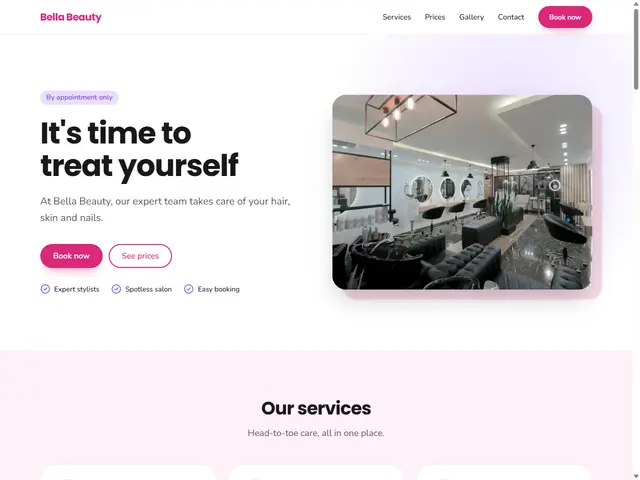
Hair & Beauty Salon template preview

Hair & Beauty Salon

Services, price list, gallery and a booking call to action.

Try it
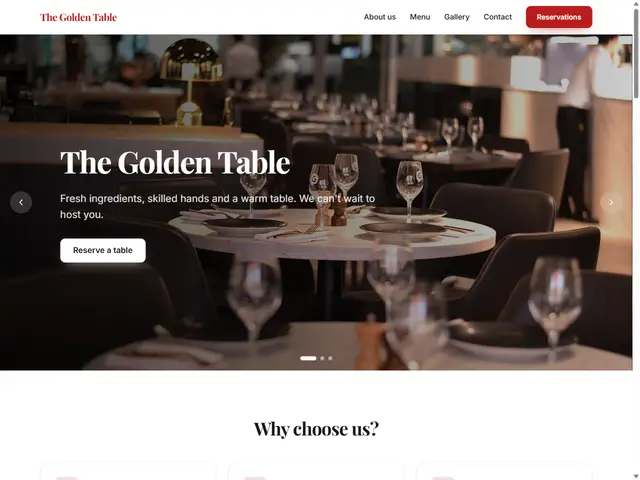
Restaurant & Cafe template preview

Restaurant & Cafe

Cover image, menu, gallery and map.

Try it
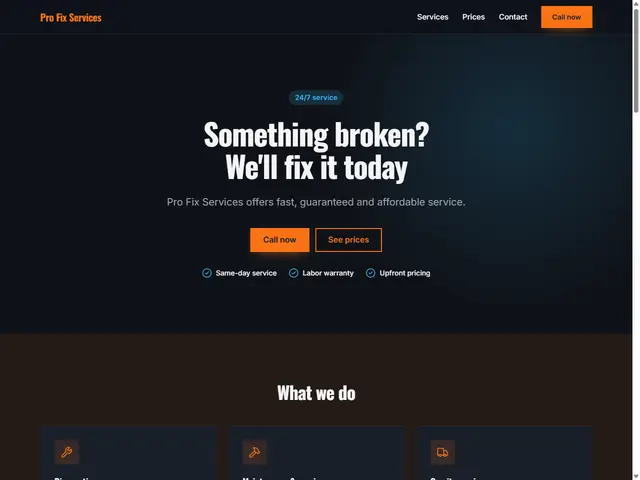
Handyman & Repair template preview

Handyman & Repair

Dark design, clear prices, one-tap calling.

Try it

More guides