Law & Consulting
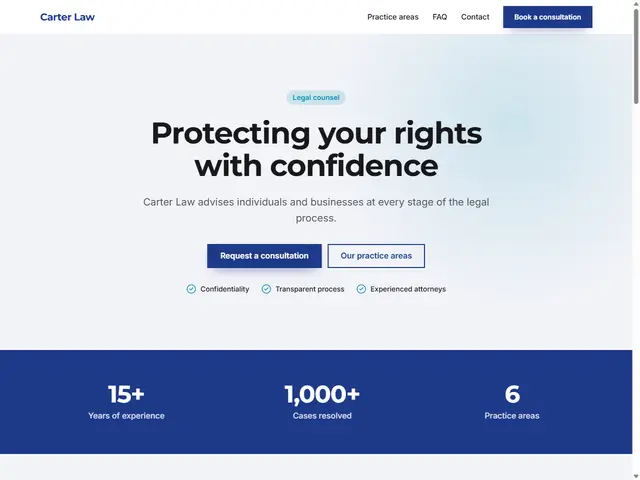
A serious, trustworthy professional look.
Last updated: 7 min readBy the BirSitem team
The contact form on your website collects a visitor’s name, phone number, email and message. That is personal data, and in most countries it is covered by data protection law: GDPR in the EU and UK, KVKK in Turkey, and similar laws elsewhere. The good news is that a privacy-friendly contact form is not complicated. Getting a handful of principles right is usually a solid start.
This guide covers the difference between a privacy notice and consent, what to ask and what not to ask, retention, security and cookies, with notes on how this works in Turkey.
This is not legal advice. It is a general overview; for your specific situation, talk to a lawyer or a data protection specialist.
Personal data is any information about an identified or identifiable person: a name, a phone number, an email address, and the message someone writes about themselves. The business that collects this data and decides why and how it is used is the “data controller”, and that is you, however small your business is.
KVKK (Law No. 6698 on the Protection of Personal Data) is Turkey’s data protection law. It follows principles very similar to GDPR: process data lawfully and fairly, for specific and legitimate purposes, keep it limited to what you need, keep it accurate, and do not keep it longer than necessary. If you serve visitors from several countries, more than one law may apply to you.
The two ideas people mix up most are informing people and asking for their consent.
Whenever you collect personal data, you must tell people who you are, why you are collecting it and how it will be used. That is the job of a privacy notice (in Turkey, the “aydınlatma metni”). It informs; it does not ask for permission.
Consent is one of several legal bases for processing, and often not the right one for a contact form. Replying to a question or a quote request can usually rely on another basis, such as taking steps at the person’s request or legitimate interest, though the assessment depends on your purpose. Using the same contact details later for marketing is a different purpose and generally needs separate permission.
When you do ask for consent:
Data minimization is the easiest and most effective privacy step: data you never collect is data you never have to protect, store or delete. For a general contact form, this is usually enough:
Do not ask for ID numbers, date of birth or a full address unless you truly need them. Special category data, such as health, religion or ethnic origin, has much stricter rules and does not belong in a general contact form.
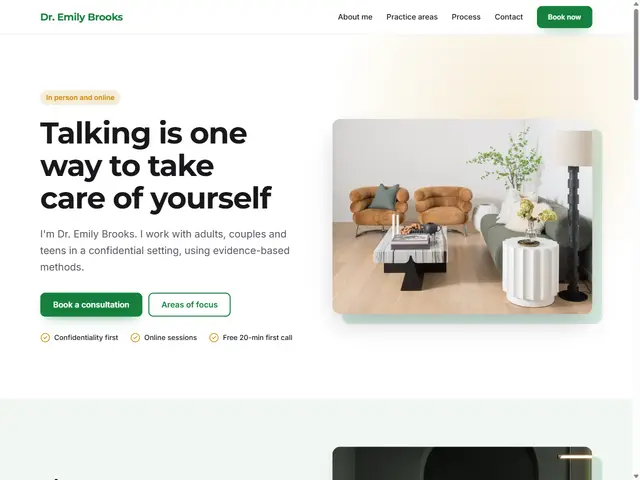
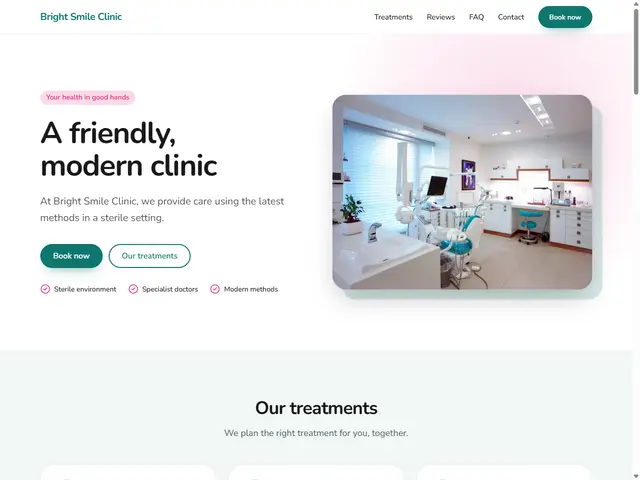
If you work in healthcare or therapy, visitors may volunteer health details on their own. A short note above the form helps: “Please don’t share health details here; we’ll talk about them at your appointment.” In the clinic and therapist templates you can add this with a simple text block.
Write a notice that is clear, plain and specific to your business rather than copied from another site. It generally covers:
Link the notice right next to the form and in the site footer, so visitors can read it before they hit send.
Keep personal data only as long as you need it for the purpose you collected it for. Once you have answered a question and no business relationship followed, there is rarely a reason to keep that message for years. Set yourself a simple rule and regularly clear out old messages in your inbox and other tools.
Some laws require data controllers to register with the regulator. In Turkey this is the VERBİS registry, and the Personal Data Protection Board has exempted certain controllers based on criteria such as employee numbers, annual balance sheet and type of activity, with exceptions, for instance where processing special category data is central to the business. Thresholds can change, so check the official site of the Turkish authority at kvkk.gov.tr. Under GDPR there is no general registration duty, but other obligations, such as keeping records of processing in some cases, may apply.
Either way, being exempt from registration never removes the duty to inform people and keep their data secure.
Cookies are the other half of website privacy. Non-essential cookies, such as analytics and advertising cookies, generally need the visitor’s consent before they run, and a cookie policy explaining what you use is good practice.
On BirSitem sites, Google Analytics runs only after the visitor gives cookie consent. The visitor statistics in your dashboard are cookie-less and do not store visitors’ personal data. You will find the Analytics and search settings in the SEO section of the documentation.
When you add the Contact or Contact form block to a page, the form is built around these principles:
You manage legal texts under Legal texts in your site dashboard: write them or upload your own PDF or Word file. They are also published on your site at /kvkk and /kullanim-sartlari and linked from the footer. If you leave them empty, a generic draft is shown, but it is only a starting point; preparing the right text for your business is your responsibility. See the contact form and messages documentation for details.
For the other parts of a trustworthy site, read what a business website should include, and if you plan to sell online, see how to start an online store.
If you work in a field where trust is everything, such as law, consulting or healthcare, start with the law and consulting template or browse all templates. Create a free account, add your contact form and manage your legal texts in one place.
8 min read
How to Build a Website: A Step-by-Step Guide (2026)
From your goal and domain name to templates, content, basic SEO and launch: a clear, no-code roadmap for making a website for your business or yourself.
7 min read
How to Make a Free Website: What to Check Before You Start
What a free website actually gives you, where the limits are, the hidden costs to watch for, and when a free plan is enough versus when it’s time to upgrade.
9 min read
Website Builder vs Custom Website: Which Is Right for Your Business?
Website builder, agency or custom development? We compare all three on time, cost, upkeep and flexibility, with a checklist to help you decide.